EngramQuest

Features

A complete learning loop.

Go from understanding to practice to recall, using the notes you already have.

01

Learn with Lesson Academy

Build interactive courses from your notes with your AI tool.

Turn a topic into a structured course with lessons, quizzes, and hands-on practice, then study inside the plugin and see where you left off. Use it when you're picking up something new and want a path through it.

Connect your AI

Lesson Academy: a library of courses built from notes, each with its own progress.
02

Practice with Quest Map

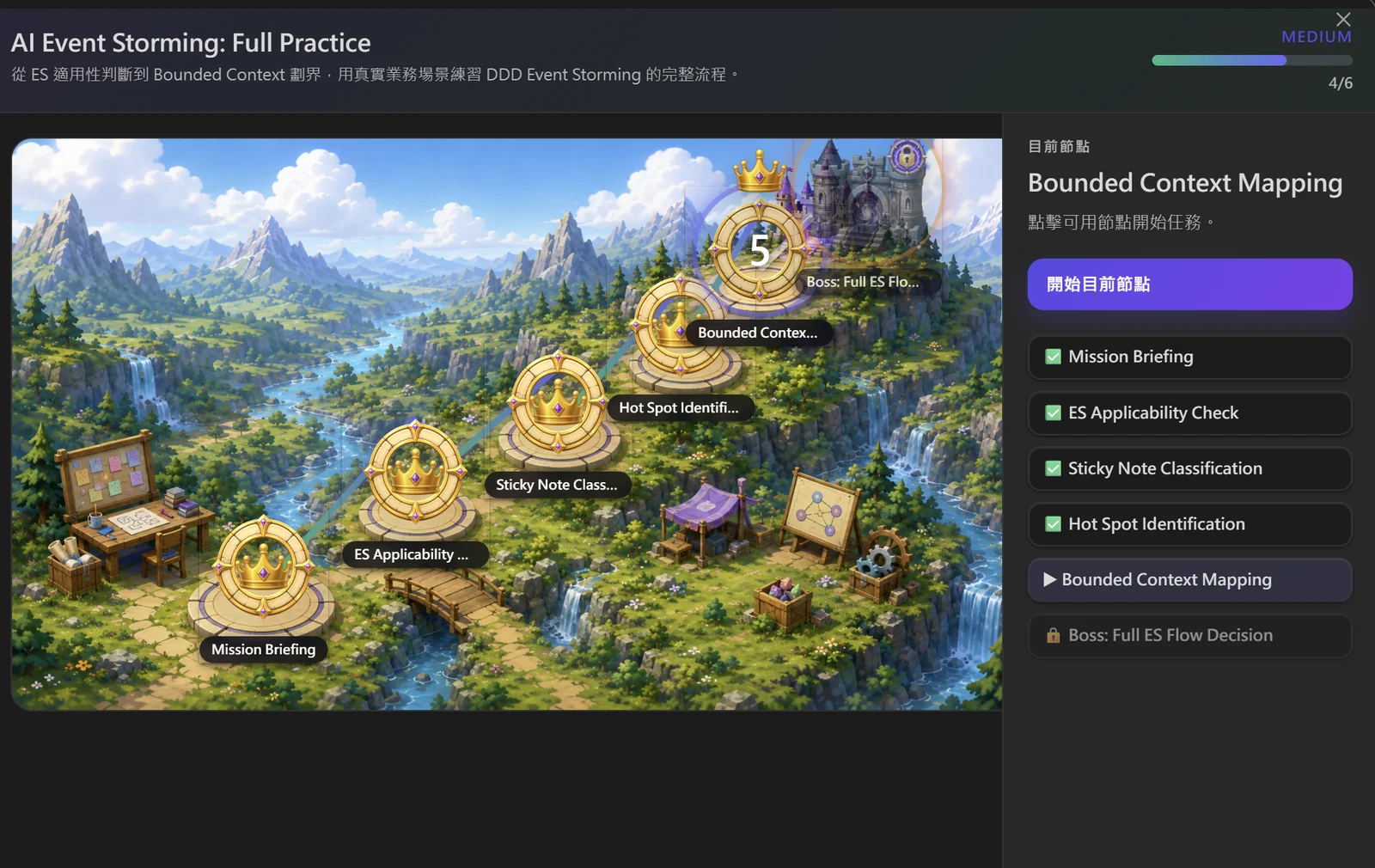
Apply what you learn through scenario challenges and boss battles.

Step into real-world scenarios built from your notes. Work through each node, make decisions, and finish with a boss challenge. Use it when you understand the idea and want to test it in context.

Quest Map: a valley of challenge nodes leading to a boss battle, with the current node’s checklist.
03

Remember with Review Deck

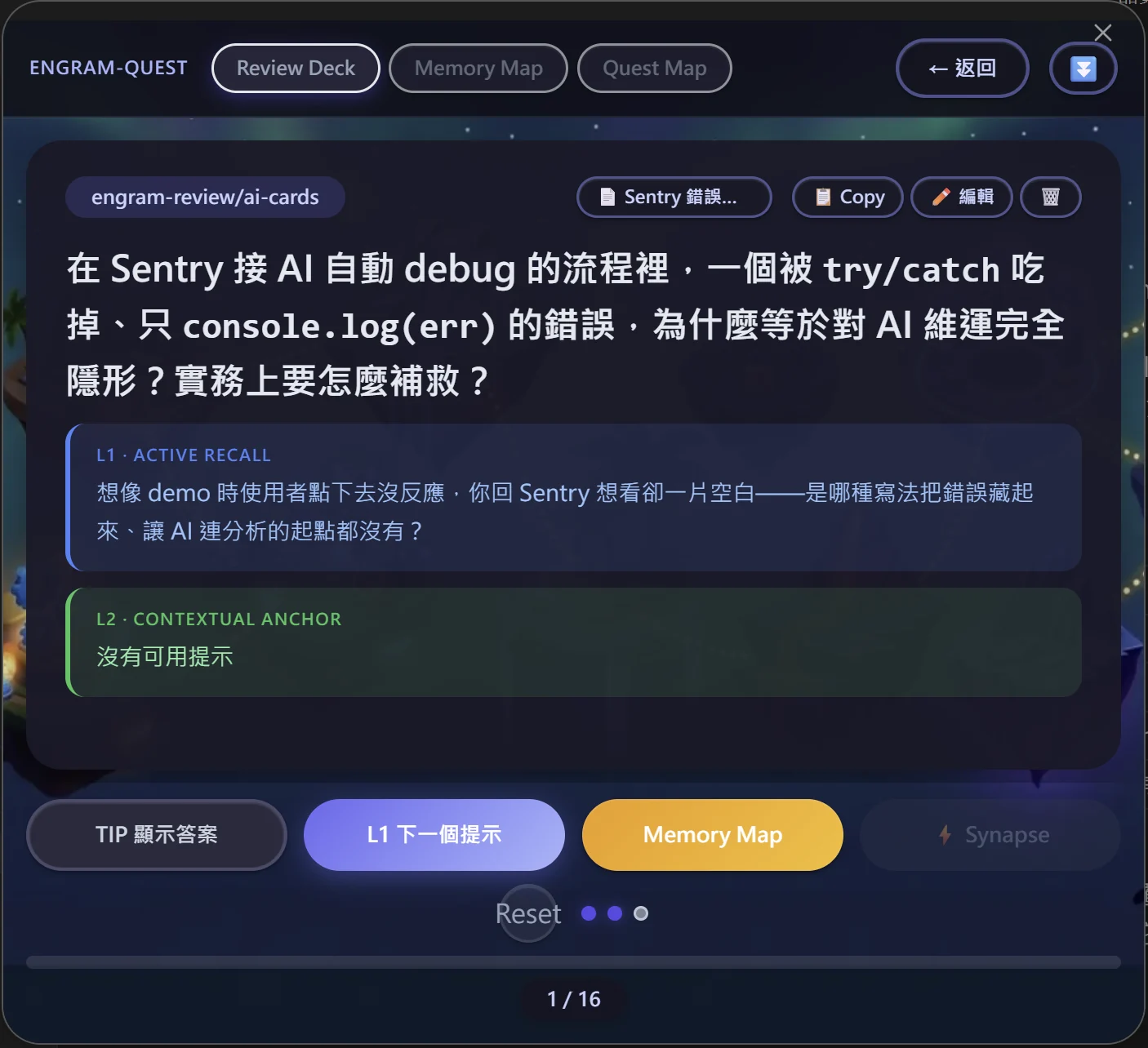
Write cards by hand or with AI. Review with FSRS and contextual hints.

Turn key concepts into cards in any note. When a card is due, reveal hints in layers — active recall first, then a contextual anchor — before the answer. FSRS schedules the next review.

Write your first card
Review Deck: a card with layered hints — L1 active recall and L2 contextual anchor.
04

Connect with Memory Map

See how concepts relate on Obsidian Canvas.

Read the guide

Keep the knowledge.
Keep it in Obsidian.

Add to Obsidian