 Learn · Lessons
Say what you want to learn. Get a course built for your goal.
Tell your AI what you want to learn and why. It asks your level, shows you the outline, then writes interactive lessons with quizzes that you study right inside Obsidian.
Free community plugin · Opens Obsidian. Nothing happens? Install from the plugin directory (opens in a new tab)
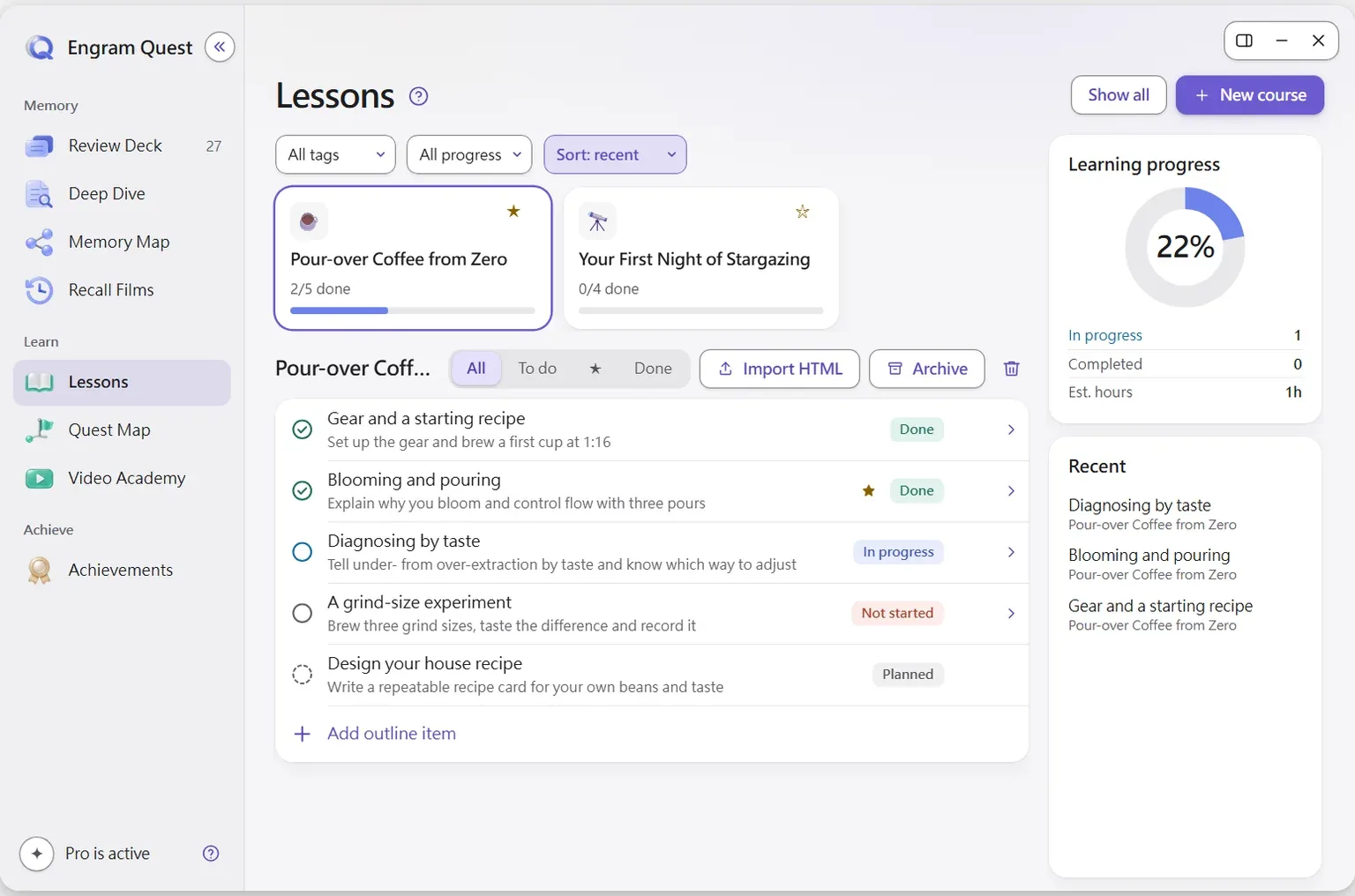
Lessons (Lesson Academy) is the EngramQuest module that builds a goal-first course: it asks why you are learning and your current level, shows an outline for approval, then generates interactive HTML lessons that each end with a quiz.
How are Lessons built?
Goal first
The skill asks why you are learning and your current level, so a .NET developer learning React gets a different course than a designer would.
Outline first
You approve the course plan before anything is generated. Changing a plan is cheap; regenerating lessons is not.
Vault-aware
Point it at your notes and the course connects to what you already know.
Checked against the web
For fast-moving topics it checks current sources and cites them instead of guessing.
Canvas steps
Courses can include native Obsidian Canvas maps that open in a real Canvas tab, fully draggable.
A quiz in every lesson
Each lesson ends with a quiz. Then turn the whole course into Review Deck cards or a Quest Map.
How to start
Install the Lesson Academy skill for your AI tool in Settings → EngramQuest → AI Skills, then say “Teach me …” with your goal. Courses appear on the Lessons page of the Hub.
Watch the walkthrough
Create a course with Claude Code
Why it works
Active recall
Every lesson ends with a quiz, so you pull the idea out of memory right after you learn it, which keeps it far better than reading again.
Read the scienceClaude Code · Codex · Gemini CLI · Cursor
Made by the AI tool you already use
Install the EngramQuest skills once, then ask in plain words. No extra subscription and no per-token API fees.
Use it with Claude CodeQuestions about Lessons
How does the AI decide what the course covers?
It starts from your goal. The Lesson Academy skill asks why you are learning and your current level, then shows a course outline for you to approve or change before it writes any lesson.
Can a course use my existing notes?
Yes. Point it at a note or a folder and the lessons build on what you already wrote, linking new ideas to what you know.
Are sources checked for fast-moving tech topics?
Yes. For fast-moving topics the skill checks current sources on the web and cites them instead of guessing.
What happens after each lesson?
Each lesson ends with a quiz for instant feedback. When the course is done, you can turn it into Review Deck flashcards to remember it, or into a Quest Map to practice using it.
Which AI tools can build lessons?
Claude Code, Claude Desktop, Codex, Antigravity, Gemini CLI and Cursor. Install the skill for your tool with one click in Settings → EngramQuest → AI Skills.
Last updated:




Keep what you learn.
Free for Obsidian on desktop and mobile. AI optional.
Free community plugin · Opens Obsidian. Nothing happens? Install from the plugin directory (opens in a new tab)