 Memory · Review Deck
Flashcards that come back just before you forget
Write cards in any note, or let AI draft them from your notes. FSRS-5 schedules every review, and three-step hints make you recall before you peek.
Free community plugin · Opens Obsidian. Nothing happens? Install from the plugin directory (opens in a new tab)
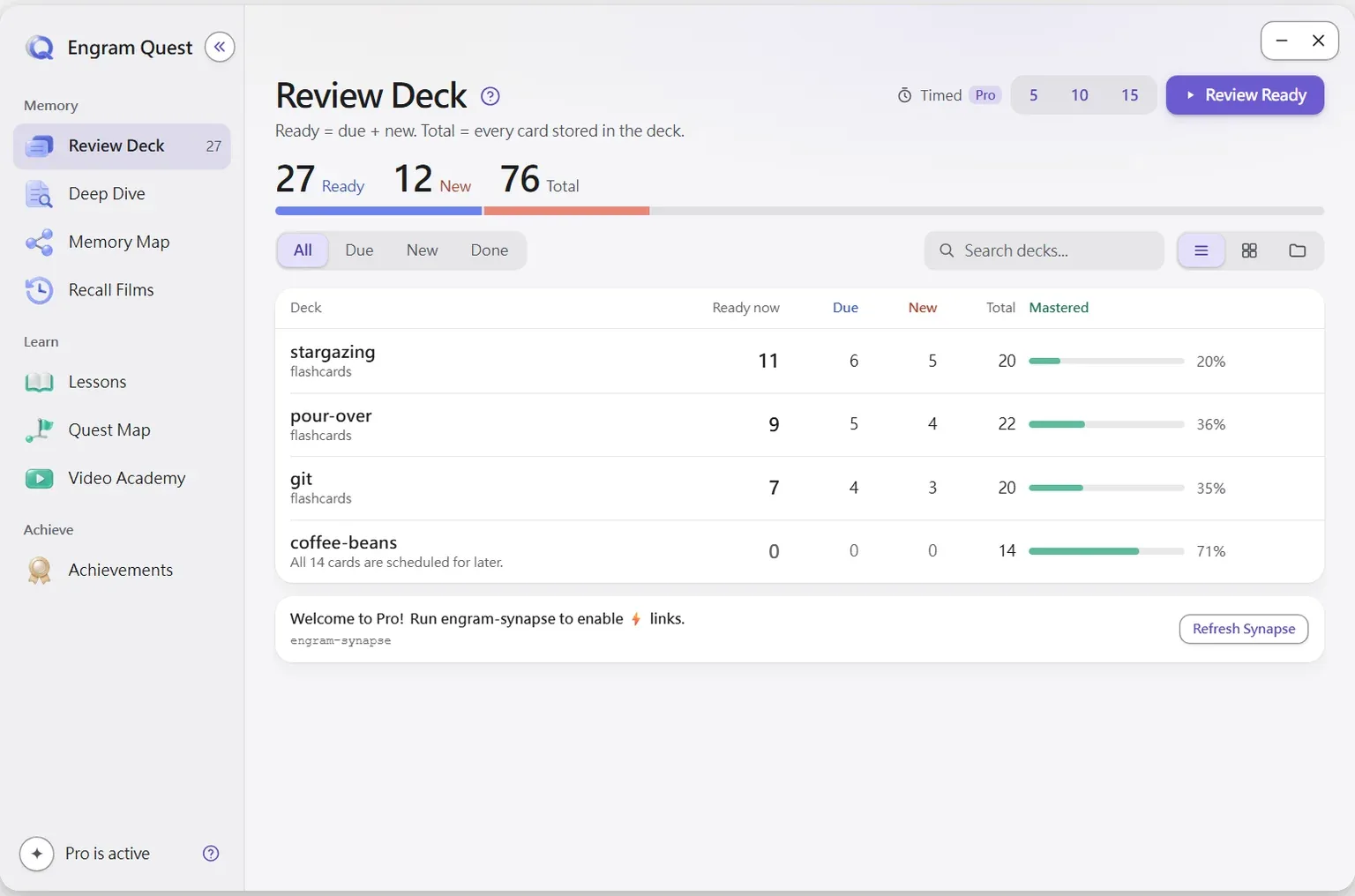
EngramQuest's Review Deck schedules flashcards with FSRS-5 and shows hints in three steps: L1 active recall (question only), L2 contextual anchor (rebuilds where you first learned it from your vault), and L3 narrowing hint (a keyword direction, never the answer).
Three steps of recall, before the answer
Each card asks you to search your memory first. Hints come one step at a time, and none of them gives the answer away.
L1 Active recall
Question only. Your brain searches first, before any hint.
L2 Contextual anchor
Searches your own vault and rebuilds the moment you first learned it. Rare in flashcard tools.
L3 Narrowing hint
A keyword direction as a last resort, never the full answer.
How does Review Deck work?
FSRS-5 scheduling
Intervals adapt to how well you actually recall, not preset multipliers.
AI cards stay separate
Generated cards live in engram-review/. AI never edits your source notes.
Five mixable formats
Q:/A:, fenced Q&A, %%card%% long answers, {{c1::}} cloze and :: one-liners, all in one note.
Edits write back
Fix a card mid-review and the change saves to your source note.
Auto-detection
Any note tagged #flashcards/topic becomes a deck. Nothing else to set up.
Memory Map on demand
Stuck on a card? The Memory Map button opens the matching canvas for the big picture.
How to start
No AI needed: add #flashcards/topic to a note and write Q: and A:. With AI: install the Review Deck skill and say “Build a review deck from my … notes.”
Watch the walkthrough
Review Deck: flashcards from your goal
Why it works
Spaced repetition and active recall
FSRS-5 brings each card back near the moment you would forget it, and the question-only first step makes you retrieve before any hint.
Read the scienceClaude Code · Codex · Gemini CLI · Cursor
Made by the AI tool you already use
Install the EngramQuest skills once, then ask in plain words. No extra subscription and no per-token API fees.
Use it with Claude CodeQuestions about Review Deck
Which spaced repetition algorithm does EngramQuest use?
FSRS-5. FSRS (Free Spaced Repetition Scheduler) is an open-source algorithm that estimates how stable each memory is and schedules the next review for when you are likely to forget, instead of using preset multipliers.
What are the L1, L2 and L3 hints?
Three steps you go through before the answer. L1 shows the question only, so you search your memory first. L2, the contextual anchor, searches your own vault and rebuilds where you first learned the idea. L3 gives a keyword direction as a last resort, never the full answer.
Can AI make flashcards from my notes? Will it edit my notes?
Yes, AI can build a deck from your notes with the Review Deck skill, and no, it does not edit them. AI-made cards are saved separately in engram-review/ai-cards/; your source notes stay untouched.
Which flashcard formats are supported?
Five, and you can mix them in one note: Q:/A:, Q&A fenced by ---, %%card%% long answers, Anki-style {{c1::}} cloze, and :: one-liners.
Can I sync cards to Anki?
Partly. The :: and {{c1::}} cloze formats are Anki-compatible and sync with the Obsidian_to_Anki plugin. The Q:/A: format, with rich multi-line answers, is EngramQuest-native and does not sync to Anki.
Where is review progress stored?
As JSON in engram-review/sr/ inside your vault, so it works with any sync method and runs on Obsidian mobile too.
Last updated:




Keep what you learn.
Free for Obsidian on desktop and mobile. AI optional.
Free community plugin · Opens Obsidian. Nothing happens? Install from the plugin directory (opens in a new tab)